






- Joined
- Jun 11, 2022
- Messages
- 215,105
- Reaction score
- 1
- Points
- 38
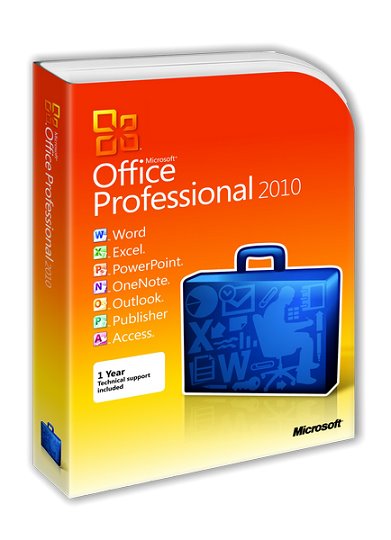
Microsoft Office 2010 SP2 Professional Plus + Visio Premium + Project Pro 14.0.7232.5000 (2019.08) RePack by KpoJIuK | 4.5GB
Microsoft Office 2010 - one of the best sets of office programs for PCs, browsers and phones. This package has all the features that many need today, and some may come in handy in the future. With this kit, you can successfully take on the challenge of today's economic situation. and watch out for success factors in IT.
Ordinary employees will be able to do the job much faster and more efficiently, working alone or in a group, on the road or in the office. IT professionals will receive a set of intelligent applications that are easily integrated into the system with increased security and working on existing equipment, ensuring business development.
Composition of Microsoft Office Professional Plus 2010:
Microsoft Office Professional Plus 2010 SP2
Microsoft Excel 2010
Microsoft Outlook 2010
Microsoft PowerPoint 2010
Microsoft Word 2010
Microsoft Access 2010
Microsoft InfoPath 2010
Microsoft Publisher 2010
Microsoft OneNote2010
Microsoft SharePoint Workspace 2010
Microsoft Office for Web Applications
Microsoft Visio Premium 2010 SP2
Microsoft Project Pro 2010 SP2
Assembly Information:
Languages: Russian, English, Ukrainian
Activation: AAct by Ratiborus
Add-ons: Office Tab; UBit Menu
To speed up the installation, it is recommended to turn off the antivirus
Command-line options:
-S or -S1 - hide the window with the progress of unpacking temporary files
-S2 - show the window with the progress of unpacking temporary files
-S or -S1 or -S2 - required parameter
/ XO86U - silent Office installation (x86) with updates
/ XO64U - silent installation of Office (x64) with updates
/ XO86N - silent installation of Office (x86) without updates
/ XO64N - silent installation of Office (x64) without updates
/ XV86U- silent installation of Visio (x86) with updates
/ XV64U - silent installation of Visio (x64) with updates
/ XV86N - silent installation of Visio (x86) without updates
/ XV64N - silent installation of Visio (x64) without updates
/ XP86U - silent installation of Project (x86 ) with updates
/ XP64U - silent installation of Project (x64) with updates
/ XP86N - silent installation of Project (x86) without updates
/ XP64N - silent installation of Project (x64) without updates
Silent installation using .msp files and, if necessary, you can configure them using the deployment center. For details on using the OCT, seethe following link:
/ XOMSP = "FULL_path_do_msp" - specify the .msp file for installing Office
/ XVMSP = "FULL_path_do_msp" - specify the .msp file for installation Visio
/ XPMSP = "FULL_path_do_msp" - specify the .msp file for installing Project
Example: Install.exe -S / XO86U /XOMSP="C:\\Excel_PowerPoint_Word.msp "
MSP files already included in the assembly:
AEW.msp - Access, Excel, Word
EPW.msp - Excel, PowerPoint, Word
EW.msp - Excel, Word
Example of use: Install.exe -S / XO86U /XOMSP="AEW.msp "
/ XUP2010 - update installed Office 2010
/ XTAB - install Office Tab
/ XUBRU- Install the Russian version of UBit Menu
/ XUBEN - Install the English version of UBit Menu
/ XKMS - Activation
Examples:
Install.exe -S / XO86U / XV86N / XTAB / XKMS
Install Office with updates, Visio without updates, Office Tab, activate
Install.exe - S / XV86U / XVMSP = "C: \\ my msp \\ custom_visio.msp"
Installing Visio with your own .msp file
If you use the unpacked or ISO version of the assembly, pass the parameters to the AutorunHelper.exe file , but exclude -S [1] [2]
Assembly changes:
Version 2019.08
- Built-in updates for August 2019
* Attention: in the January update KB4461614, an error was made that Office was not working on Windows XP.
Along with the assembly, the WindowsXP-FIX.exe file is distributed to correct the situation. You can run it from the folder
into which temporary files are unpacked, or download it separately: WindowsXP-FIX.exe.html
This fix is ??set automatically if you do not uncheck the activation checkbox
Checksums:
the x86:
the CRC32: C178620F
the MD5: 3989EF1D1586314195AFA76B11C040C7
the SHA-1: EC8AACC268DE356C8B1EE89FC96D80FAE1232E5C
x64:
the CRC32: BFC5082E
the MD5: D699C3E6E17109DC2C3D8CAEDDECA470
the SHA-1: 83C99793C495C6D6FB51FB1E349505757F5B3EBB
DOWNLOAD
uploadgig
https://uploadgig.com/file/download/a9d5a9A38C55492e/Office.2010.SP2.KpoJIuK.part1.rar
https://uploadgig.com/file/download/f466bF782ee4bF89/Office.2010.SP2.KpoJIuK.part2.rar
https://uploadgig.com/file/download/91A1f4bfd2C21453/Office.2010.SP2.KpoJIuK.part3.rar
https://uploadgig.com/file/download/254fa611dDC15b06/Office.2010.SP2.KpoJIuK.part4.rar
https://uploadgig.com/file/download/030fb4967f6be528/Office.2010.SP2.KpoJIuK.part5.rar
rapidgator
https://rapidgator.net/file/de49093d2c63ac5888ff3ad3537022ff/Office.2010.SP2.KpoJIuK.part1.rar
https://rapidgator.net/file/22c287845fcb5689e24b235e42f40c46/Office.2010.SP2.KpoJIuK.part2.rar
https://rapidgator.net/file/937fc0a9795438ff1883f91d0a65cd14/Office.2010.SP2.KpoJIuK.part3.rar
https://rapidgator.net/file/f907c3f6e3f0229ea26c86c07db54ab0/Office.2010.SP2.KpoJIuK.part4.rar
https://rapidgator.net/file/ec6757edeab217c0d6593e397f3b914e/Office.2010.SP2.KpoJIuK.part5.rar
nitroflare
http://nitroflare.com/view/FA79F9A665171AE/Office.2010.SP2.KpoJIuK.part1.rar
http://nitroflare.com/view/056FCAE34B48682/Office.2010.SP2.KpoJIuK.part2.rar
http://nitroflare.com/view/8BD41F6B7DD768A/Office.2010.SP2.KpoJIuK.part3.rar
http://nitroflare.com/view/FC4C6E890BB12C7/Office.2010.SP2.KpoJIuK.part4.rar
http://nitroflare.com/view/67783CE6BB2FB9E/Office.2010.SP2.KpoJIuK.part5.rar
Feel free to post your Microsoft Office 2010 SP2 Professional Plus + Visio Premium + Project Pro 14.0.7232.5000 (2019.08) RePack by KpoJIuK Free Download, torrent, subtitles, free download, quality, NFO, Dangerous Microsoft Office 2010 SP2 Professional Plus + Visio Premium + Project Pro 14.0.7232.5000 (2019.08) RePack by KpoJIuK Torrent Download, free premium downloads movie, game, mp3 download, crack, serial, keygen.